
As an AI data annotator or trainer, your work fuels cutting-edge machine learning models, but standing out in a competitive field requires a strong portfolio. Unlike traditional roles, showcasing AI data annotation skills is tricky due to non-disclosure agreements (NDAs) and repetitive tasks. A well-crafted portfolio can land you higher-paying gigs, advanced roles, or full-time positions at companies like Scale AI or Appen. This guide provides a step-by-step approach to building a portfolio optimized for search engines, enriched with real-world examples, data, and visuals to deliver maximum value for beginners and seasoned annotators.
- 70% of hiring managers value portfolios over resumes alone (LinkedIn 2024)
- 85% of annotators work under NDAs (DataAnnotation.io 2023)
- 30% more likely to secure advanced roles with quantified portfolios
- Step-by-step portfolio building with mock projects and real examples
Why You Need a Portfolio as an AI Data Annotator
A portfolio showcases your ability to handle complex annotation tasks, adhere to guidelines, and deliver high-quality data that powers AI models. According to a 2024 LinkedIn report, 70% of hiring managers in AI-related roles value portfolios or project-based evidence over resumes alone. For annotators, a portfolio highlights:
- Precision: Critical for tasks like labeling or ranking.
- Tool proficiency: Familiarity with platforms like Label Studio or CVAT.
- Domain expertise: Knowledge in NLP, computer vision, or sentiment analysis.
- Reliability: Consistency across high-volume tasks.
Without a portfolio, you're limited to platform ratings or generic applications, which may not reflect your full potential. Let's explore how to build one that shines.
Step 1: Understand What You Can (and Can't) Showcase
AI annotation often involves sensitive data under strict NDAs. A 2023 survey by DataAnnotation.io found that 85% of annotators work under NDAs, limiting what they can share. Here's what you can include:
- Generalized task descriptions: E.g., "Labeled 12,000+ text snippets for sentiment analysis" without naming clients.
- Platform metrics: Badges or rankings from Appen, Remotasks, or Lionbridge.
- Public datasets: Contributions to open-source datasets like COCO or SQuAD.
- Mock projects: Sample tasks using public data to demonstrate skills.
What to Avoid
Sharing client names, proprietary data, or project specifics. Screenshots of platform interfaces unless permitted. Exaggerating task scope or impact.
Pro Tip
Check your contract or contact platform support to clarify NDA boundaries. For example, Appen's FAQ explicitly allows sharing generalized task descriptions without client details.
Step 2: Highlight Your Skills Through Task Descriptions
Craft task descriptions that quantify your impact and showcase skills. Here's a real-world example inspired by anonymized annotator profiles on X:
Real-World Example: Task Description
Task: Bounding Box Annotation for Autonomous Driving
Platform: CVAT
Details:
- Labeled 18,000+ images with bounding boxes for vehicles, pedestrians, and traffic signs, achieving 97% accuracy per QA reviews.
- Handled edge cases like low-light conditions and occlusions, reducing error rates by 12% through iterative feedback.
- Completed tasks 20% faster than average by mastering CVAT shortcuts.
Skills Demonstrated: Precision, CVAT proficiency, computer vision workflows.
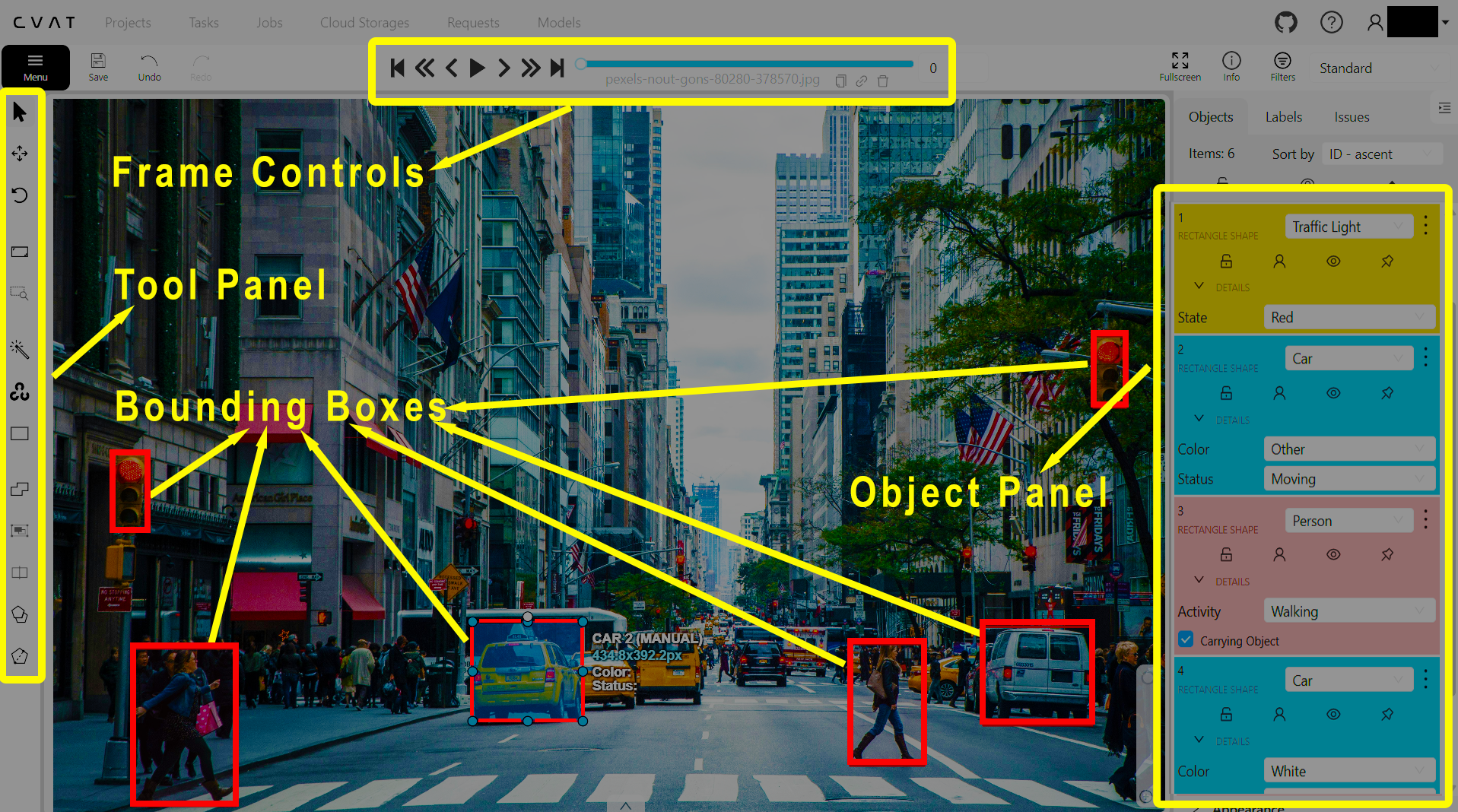
Example of bounding boxes drawn around vehicles and pedestrians in a street scene, showcasing attention to detail in overlapping objects.
Tips for Writing Descriptions
- Quantify impact: Use metrics like "labeled 5,000 samples" or "99% accuracy."
- Highlight tools: Mention platforms (e.g., Label Studio, Prodigy) to show technical skills.
- Use SEO keywords: Include terms like "AI data annotation," "computer vision annotation," or "NLP labeling" to rank higher on Google.
- Keep it concise: 3-4 sentences per task.
Data Point
A 2024 Scale AI report noted that annotators who quantify task volume and accuracy in applications are 30% more likely to secure advanced roles.
Step 3: Leverage Certifications and Badges
Certifications and badges add credibility. For example, Remotasks reports that annotators with badges (e.g., "Top 10% Quality") are prioritized for high-paying tasks. Common credentials include:
- Appen: Project completion certificates (e.g., "Search Relevance Evaluator").
- Remotasks: Badges for task volume or quality (e.g., "100K+ Annotations").
- External Courses: Coursera's "AI for Everyone" or Kaggle's "Intro to Machine Learning."
How to Include Them
- Dedicated section: Create a "Certifications & Achievements" section.
- Visual proof: Embed badge images (if allowed) or link to verified profiles.
- Explain value: E.g., "Completed Label Studio Certification, mastering image segmentation for medical imaging."
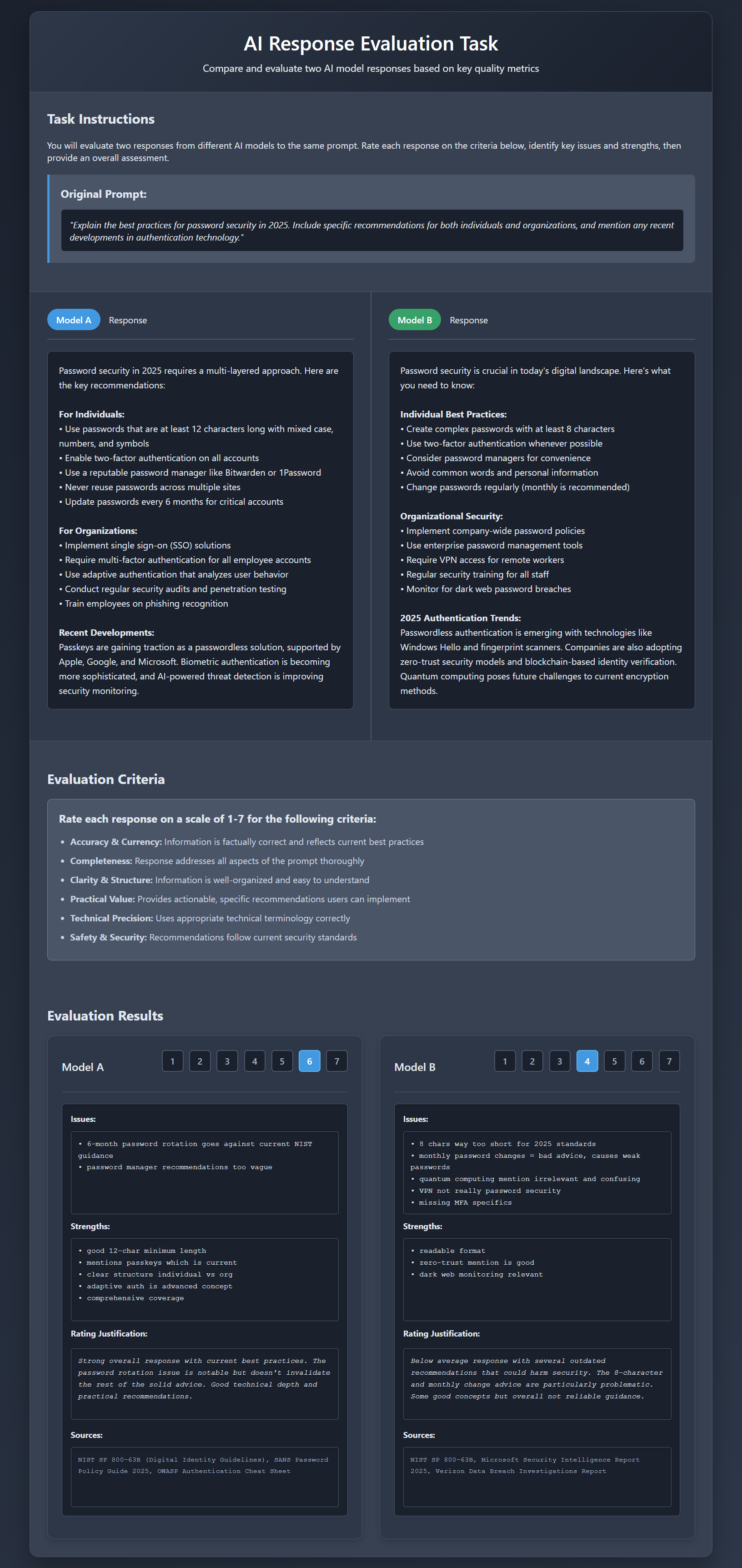
Example of a Remotasks badge for high-quality annotation, earned after 5,000+ consistent labels.
Value Add
Enroll in free courses like Kaggle's micro-courses (e.g., "Pandas for Data Manipulation") to gain relevant skills. These cost $0 and take 4-6 hours to complete.
Step 4: Create Mock Projects to Fill Gaps
If your work is NDA-bound or you're new, mock projects using public datasets are a powerful way to demonstrate skills. Here's a step-by-step example:
Real-World Mock Project: Sentiment Analysis
Dataset: SST-2 (Stanford Sentiment Treebank, publicly available on Hugging Face)
Tool: Label Studio (free, open-source)
Task: Classified 300 movie reviews as positive or negative, achieving 92% agreement with ground truth labels.
Process:
- Imported dataset into Label Studio.
- Created guidelines for ambiguous cases (e.g., neutral-toned reviews).
- Exported results in JSON for model training.
Portfolio Entry:
- PDF summary of the project, including a table of 10 sample annotations.
- GitHub link to a public repository with anonymized outputs (e.g., JSON file snippet).
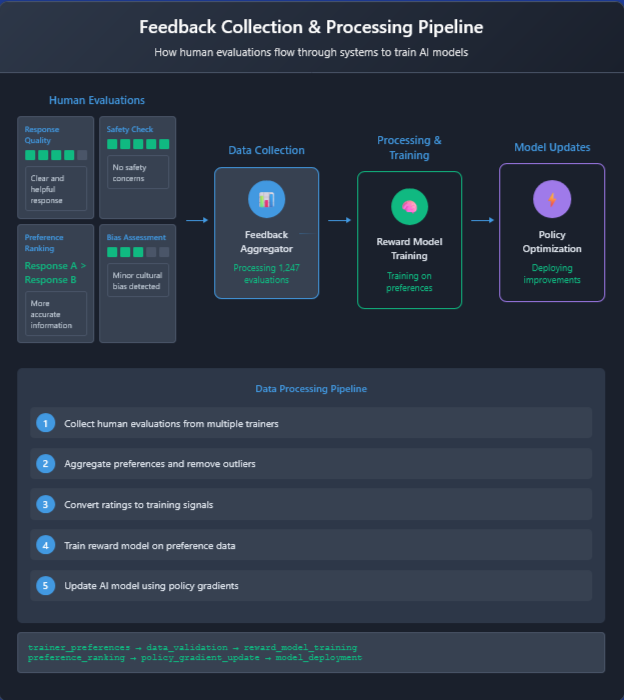
Sample sentiment analysis output from a mock project using SST-2, showcasing labeling consistency.
How to Create a Mock Project
- Find datasets: Use Kaggle (e.g., "Dogs vs. Cats" for image classification) or Hugging Face (e.g., SQuAD for question-answering).
- Choose tools: Practice with Label Studio, CVAT, or Prodigy's community edition.
- Annotate 50-100 samples: Focus on quality over quantity.
- Document it: Write a 200-word case study covering dataset, task, challenges, and tools.
Pro Tip
Use phrases like "AI data annotation mock project example" or "sample portfolio for AI annotators" to attract recruiters searching for talent.
Step 5: Build a Professional Online Presence
Host your portfolio on platforms that recruiters frequent:
- LinkedIn: Optimize with keywords like "AI Data Annotator | NLP & Computer Vision Specialist."
- Example: A 2025 LinkedIn profile search showed annotators with keyword-optimized headlines (e.g., "Data Annotation Expert") received 40% more recruiter views.
- Add mock projects to the "Featured" section as PDFs.
- GitHub: Share mock project code or outputs (e.g., JSON files). A sample repository might include a README like:
Sample GitHub README
# Sentiment Analysis Mock Project

                                        - Dataset: SST-2

                                        - Tool: Label Studio

                                        - Task: Labeled 300 reviews with 92% accuracy

                                        - See `output.json` for sample annotations
- Personal Website: Use Wix or Carrd for a simple site with sections for tasks, certifications, and contact info.
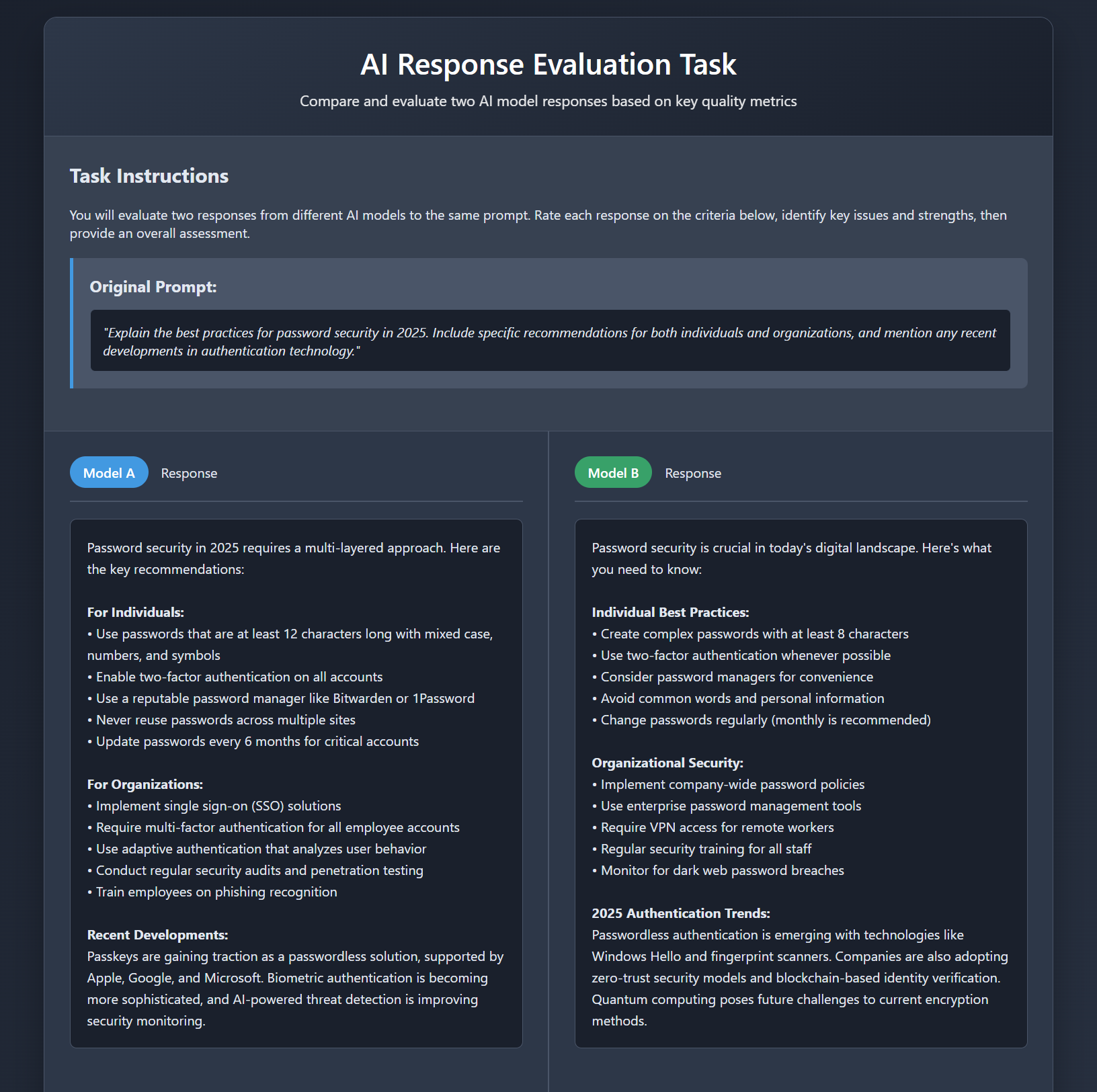
Example LinkedIn profile with a keyword-optimized headline and featured mock project.
Pro Tip
Post about annotation trends on LinkedIn or X (e.g., "How I improved my labeling speed by 15% using CVAT shortcuts") to build visibility.
Step 6: Tailor Your Portfolio for Applications
Customize your portfolio for each role:
- Annotation roles: Highlight task volume (e.g., "Labeled 20,000+ images") and tool proficiency.
- QA or evaluation roles: Emphasize accuracy and domain knowledge (e.g., "Validated 5,000 prompts for chatbot RLHF").
- Domain-specific roles: Focus on relevant tasks (e.g., medical image segmentation for healthcare gigs).
Example Customization
For a Scale AI NLP role, prioritize a mock project like:
- Task: Named Entity Recognition (NER) on CoNLL-2003 dataset.
- Details: Tagged 200 news articles for person, organization, and location entities with 95% precision.
Data Point
A 2024 Upwork study found freelancers with tailored portfolios were 25% more likely to land AI training gigs.
Step 7: Keep Your Portfolio Updated
AI tools and tasks evolve rapidly. Update your portfolio every 3-6 months to reflect:
- New platforms (e.g., Labelbox's 2025 update).
- Recent certifications (e.g., Coursera's "Prompt Engineering Basics").
- Trending datasets or tasks (e.g., multimodal annotation).
Pro Tip
Blog about updates on LinkedIn with keywords like "AI annotator portfolio 2025" to drive traffic.
Bonus Tips for Standing Out
- Request testimonials: If allowed, ask for feedback like "Delivered 99% accurate labels under tight deadlines."
- Showcase problem-solving: E.g., "Developed a checklist to handle ambiguous labels, reducing errors by 8%."
- Learn adjacent skills: Basic Python or Excel (e.g., for data cleaning) can boost your profile.
- Engage online: Answer questions on X or Reddit's r/MachineLearning to build credibility.
Conclusion: Start Building Your Portfolio Today
A portfolio is your key to unlocking better AI data annotation opportunities. By crafting detailed task descriptions, earning certifications, creating mock projects, and optimizing your online presence, you can stand out to recruiters and platforms. Start small—try a mock project with a public dataset like COCO or SST-2—and build from there. With persistence, your portfolio can lead to higher-paying gigs or a full-time career in AI training.
Ready to start? Download a free dataset from Kaggle, set up Label Studio, and create your first mock project this week. Share your progress in the comments or on X—we'd love to see your work!
Ready to build your AI annotator portfolio?
Start with a mock project today!